Guitar Toolbelt

Guitar · Bass · Ukulele · Mandolin

Tune your instrument. Find your chord. Learn the neck. Keep time.

A chromatic tuner, chord library, scales, chord finder and metronome in one app — built for the player who already knows what they want and is reaching for it mid-practice.

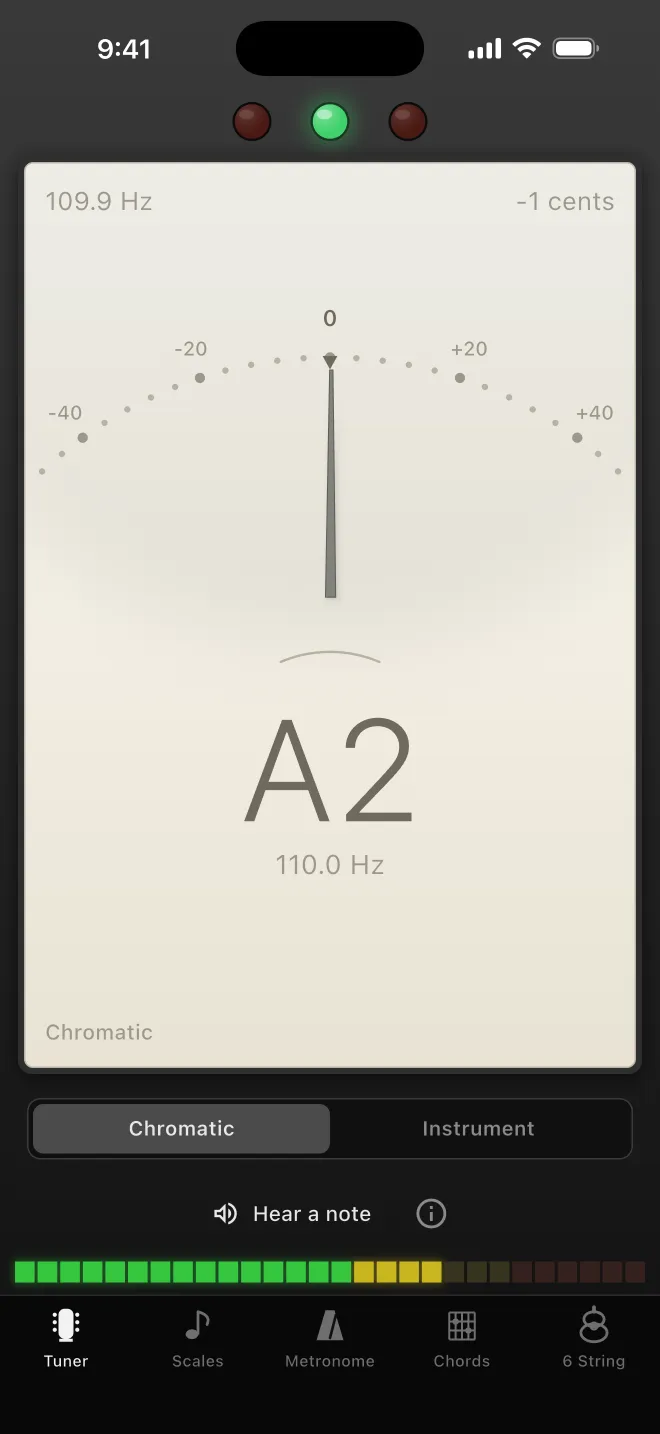
The Guitar Toolbelt tuner: a cream analogue meter face reading A2 at 109.9 Hz, one cent flat, set into a dark chassis with indicator lamps and an input level meter.

The whole idea

Set it once. Every tool follows.

Choose your instrument, tuning, capo and reference pitch in one place. The tuner, the scales, the chord diagrams and the finder all read from it — so the shape on screen is always a shape for the instrument in your hands. A tool that disagrees with the one next to it is worse than no tool at all.

Five tools

Chromatic tuner showing A2 at 109.9 Hz.
01 — Tuner

A needle you can trust

Chromatic tuning through the microphone, with a pitch detector written in C++ and run on the audio thread — not in a managed runtime that cannot promise to be there when the string decays.

Move the reference pitch off A 440 Hz to sit with another instrument or a recording, and the chord library moves with you. Prefer to tune by ear? The tuner will play you the reference tone instead.

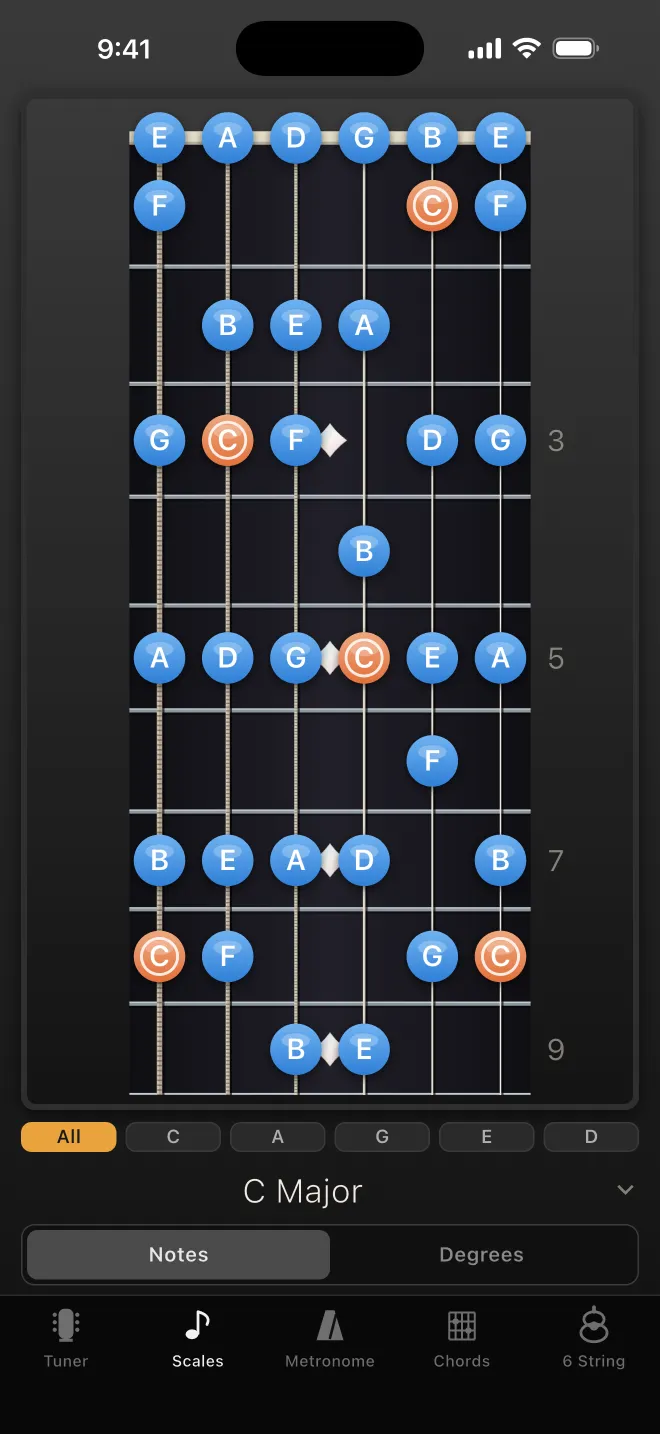
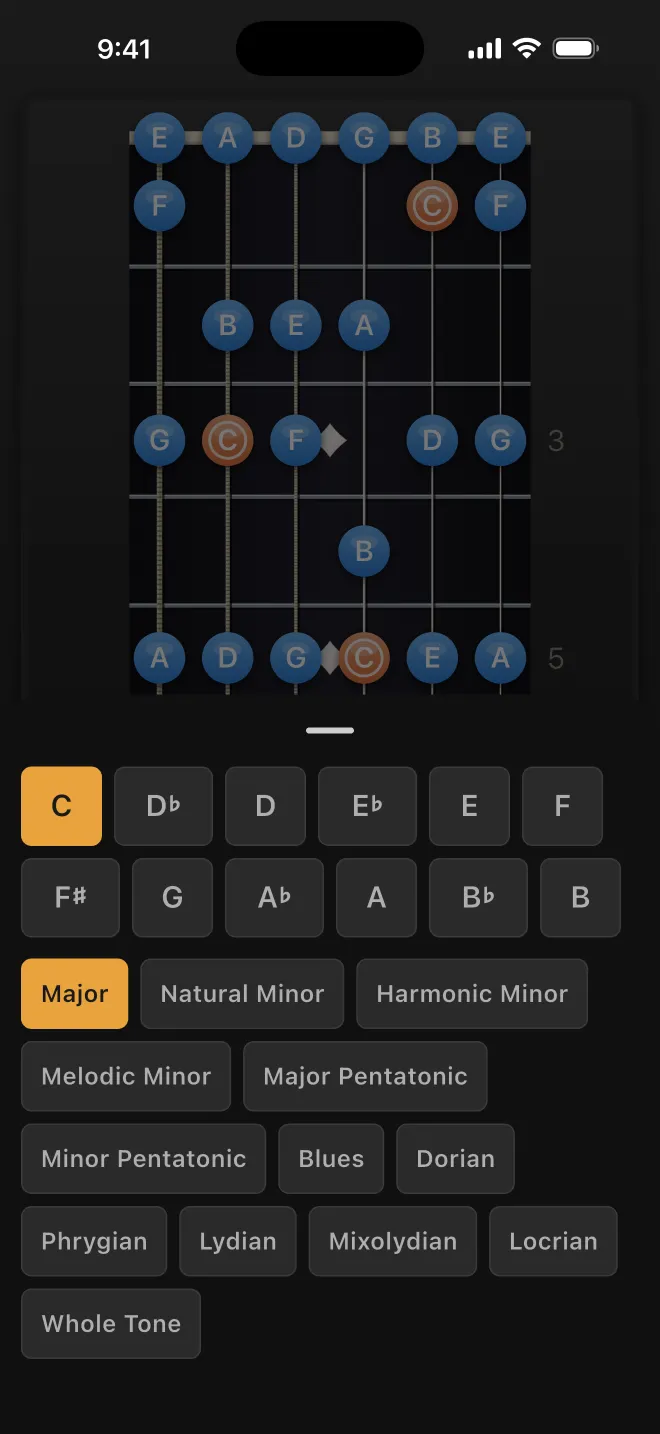
A scale laid out across the full neck, with the root notes marked. The scale picker, listing scale families and positions.
02 — Scales

The whole neck, or one shape

Any scale across the full fretboard for the instrument and tuning you have set — open strings included, because an open string is a real scale tone and often the best one.

Narrow it to a single CAGED position when you want one shape under your hand instead of a map of the whole thing.

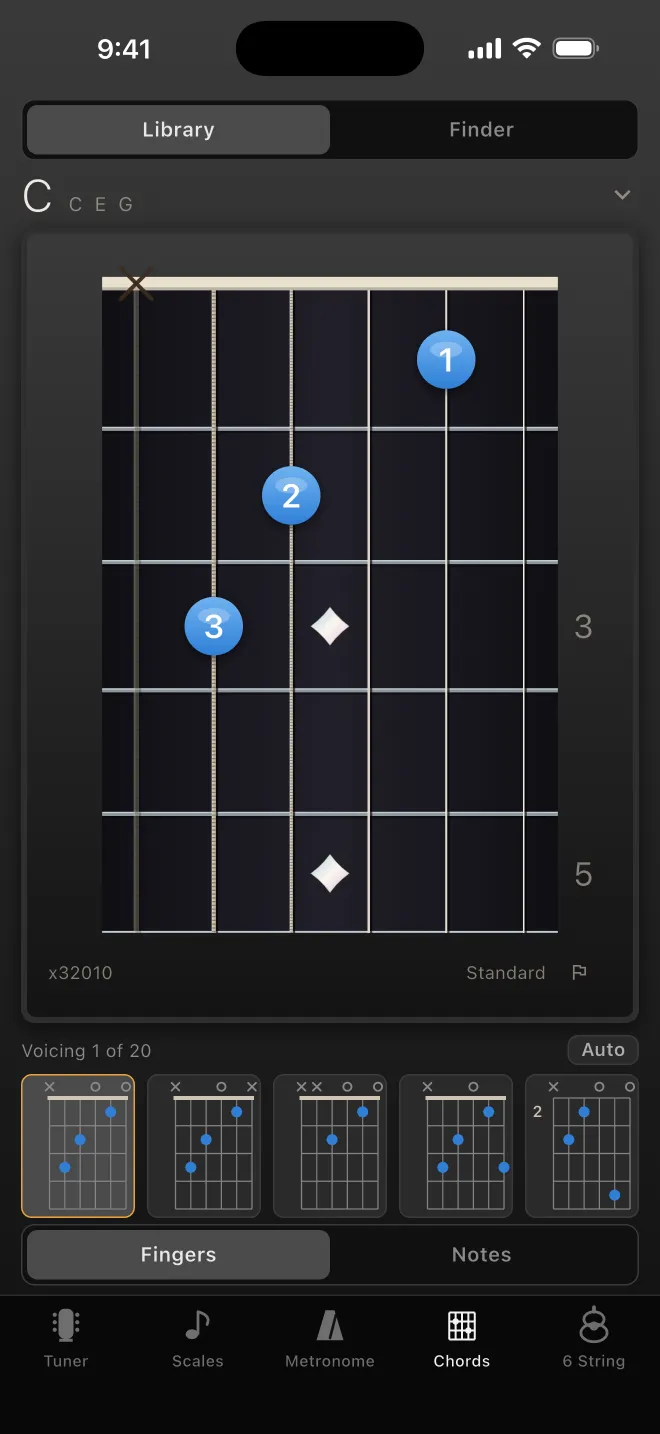
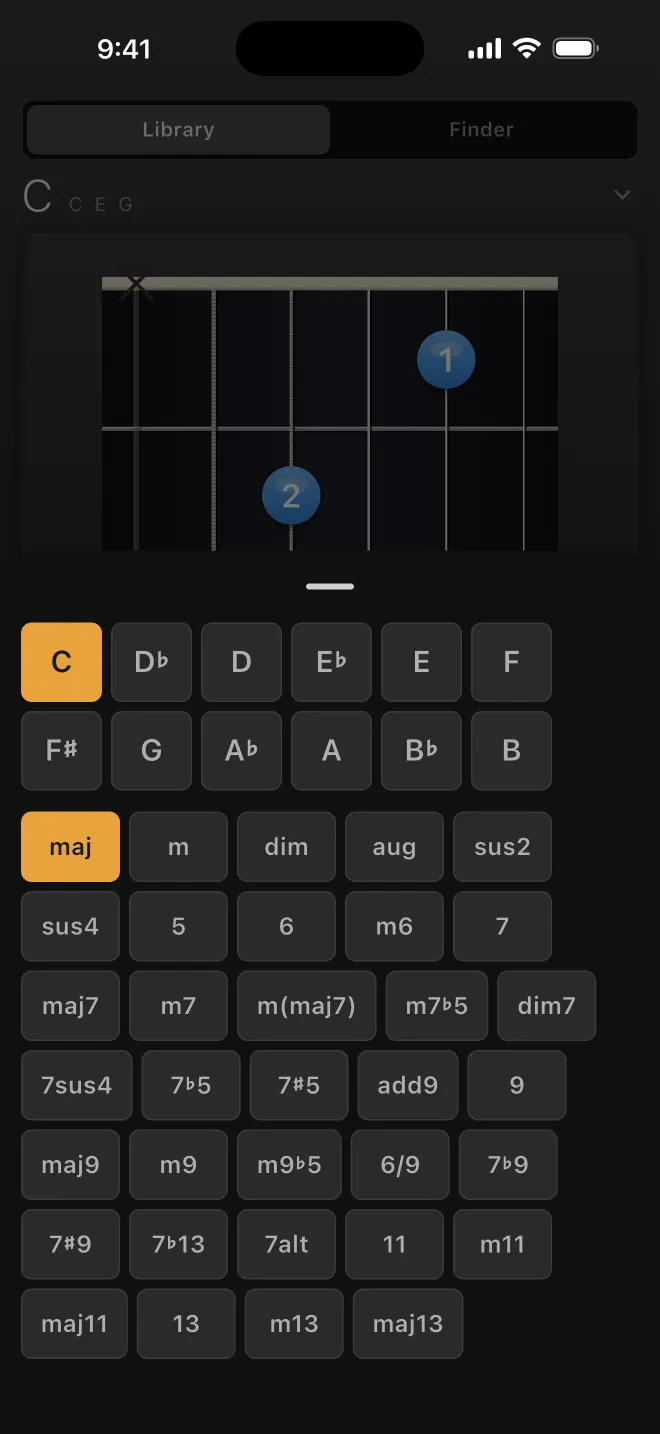
A C major chord diagram on the neck with numbered finger positions. The chord picker, choosing a root and a quality.
03 — Chords

Twenty voicings, not one diagram

Every chord comes with the shapes that actually exist for it, open position and up the neck, rather than a single canonical picture. Hear any of them before you commit your fingers — and strum it with one, dragging across the strings on the diagram itself.

With a capo on, you see both names at once: an open C shape at the second fret is a C to play and a D to hear.

04 — Chord Finder

What is this thing I just played?

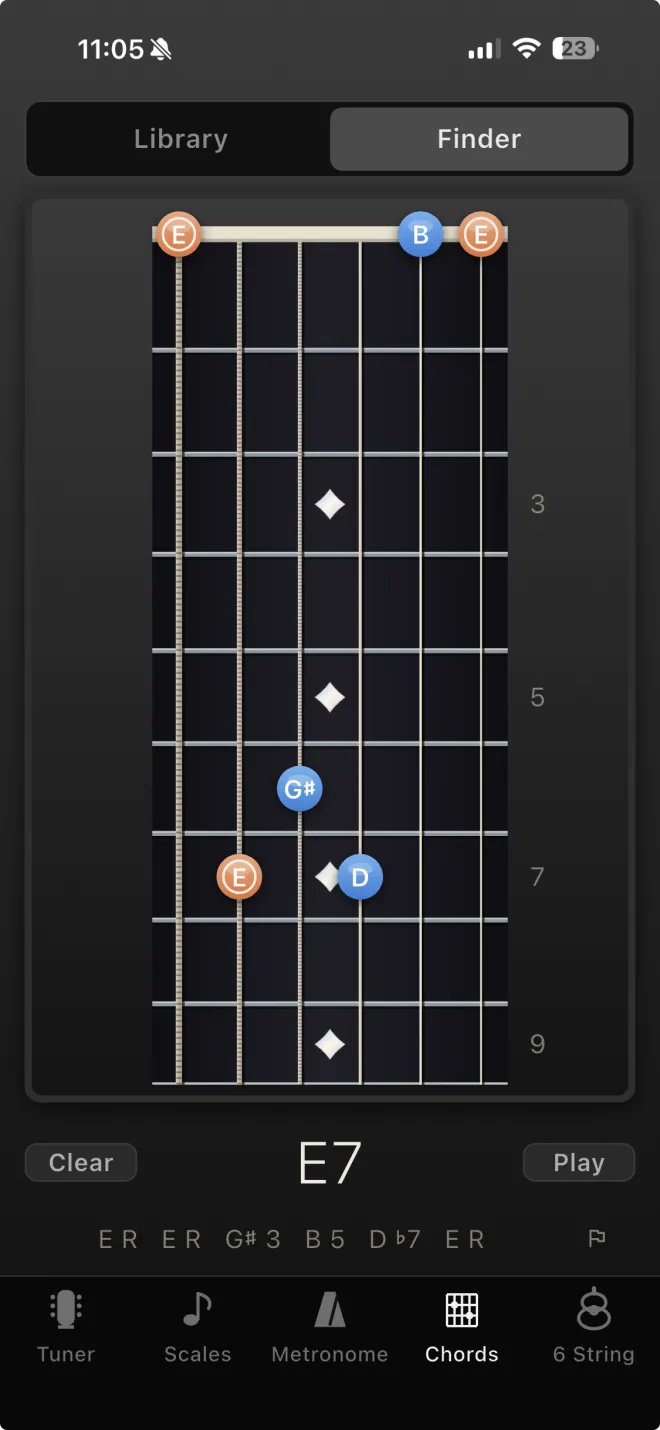
Tap a fingering onto the neck and the finder tells you what it is called. Alternative names come back ranked rather than as a flat list, and for whichever one you pick you can see what every note is doing in the chord — root, third, seventh, or a tone the name assumes and you never played.

It will not name a shape it cannot fully account for. An unrecognised collection of notes comes back with no name, which is the honest answer, instead of a confident wrong one.

The Chord Finder: notes tapped onto the neck are identified as E7, with each note labelled by its role — root, third, fifth and flat seventh.
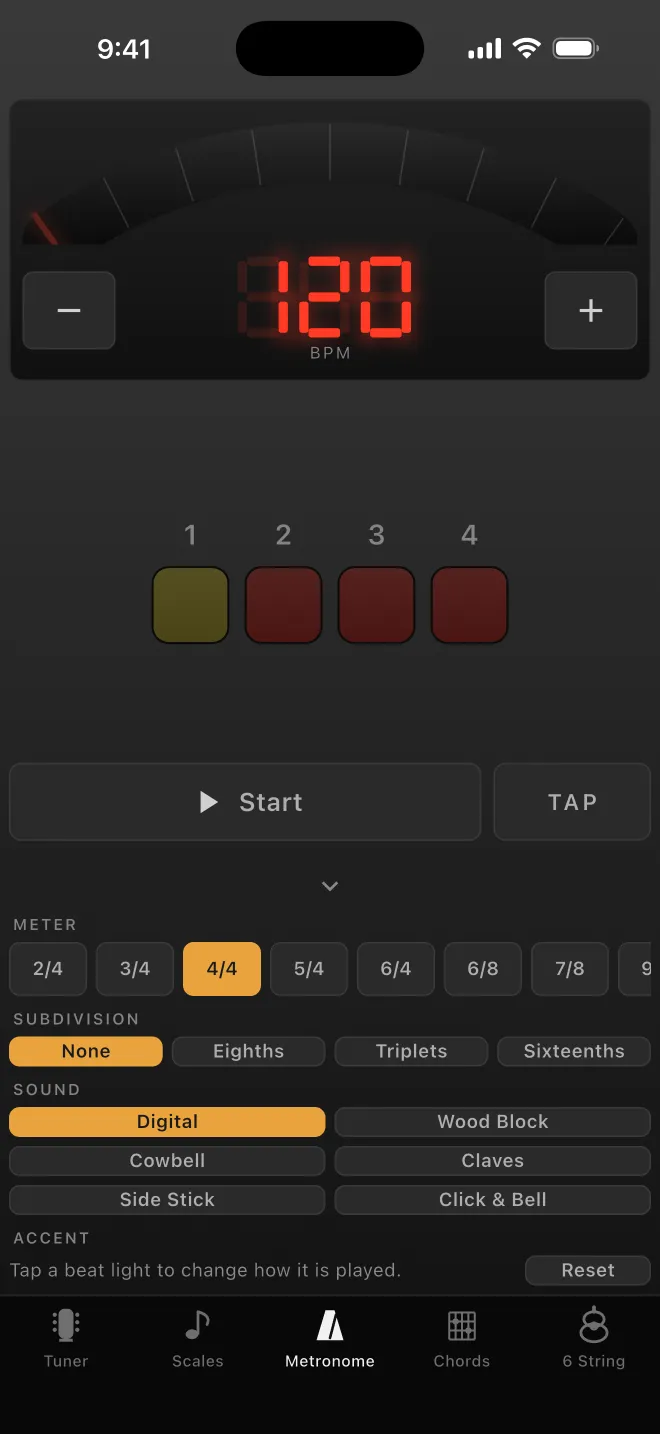
The metronome: a red seven-segment tempo readout, beat lamps and transport controls.
05 — Metronome

On the audio clock, not a timer

Meters, subdivisions and accent patterns, with a tempo you change by holding the button down. Every click is placed on an exact sample frame inside the audio callback, so it does not drift when the phone gets busy.

The beat lamps read the transport rather than counting for themselves — a display that keeps its own count looks right and slowly disagrees with the click, which invites you to follow the wrong one.

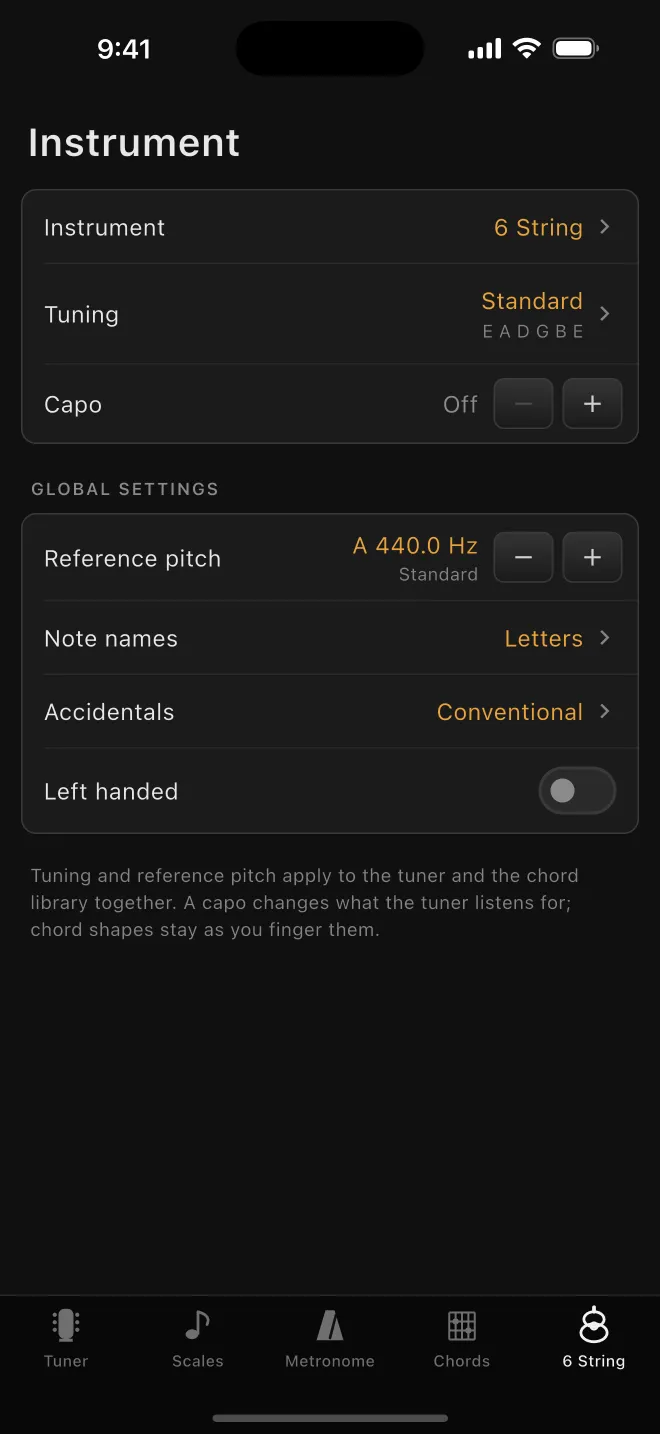
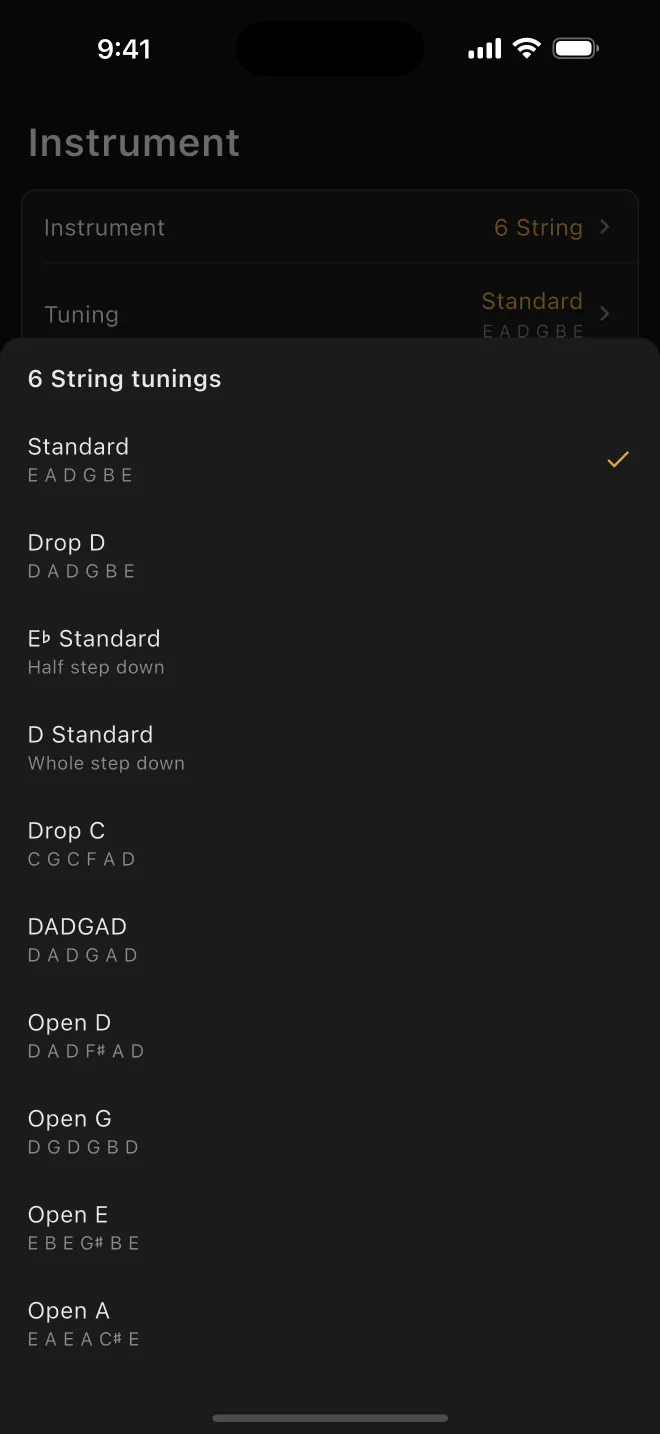
The instrument settings screen: instrument, tuning, capo, reference pitch and handedness. The tuning picker showing Standard, Drop D, DADGAD and others with their open strings.

Your instrument

Four instruments. Thirteen tunings. One place to say so.

Six-string guitar, bass, ukulele and mandolin. Capo position and left-handed necks work throughout, and the tuning table is shared by every screen, so nothing in the app can hold a different opinion about what you are playing.

  • Standard
  • Drop D
  • E♭ Standard
  • D Standard
  • Drop C
  • DADGAD
  • Open D
  • Open G
  • Open E
  • Open A
  • 7-String
  • Bass 4 & 5
  • Ukulele
  • Mandolin
5
Tools
4
Instruments
13
Tunings
8
Languages
0
Data collected

And the rest of it

iPhone, iPad and Android

One app on both platforms, not a port with the corners knocked off. The pitch detection, the chord engine and the metronome's scheduler are the same C++ running underneath each — CoreAudio on iOS, Oboe on Android — so a tuning reads the same and a click lands in the same place whichever phone is in your pocket. Everything below is on both except where it says otherwise.

Siri and Shortcuts iOS

Keep your hands on the instrument. Ask Siri to show a chord or a scale, open the tuner, change the tuning, set or clear the capo, or start, stop and re-tempo the metronome. The same actions are available in the Shortcuts app to build into your own practice routine. There is no Android equivalent yet.

Your language, your note names

English, German, French, Italian, Spanish, Japanese, Simplified Chinese and Brazilian Portuguese, on both platforms. Note names follow the convention your language actually uses, so German reads H where English reads B — and chord symbols stay international, the way players write them.

Accessibility

With a screen reader running — VoiceOver on iOS, TalkBack on Android — every fretboard shape has a spoken summary, and a double-tap plays it. The tuner switches to reference tones so you can tune by ear. Turn on Reduce Motion, or Remove Animations on Android, and the sliding and fading give way to immediate visual changes.

Privacy

No account. No ads. Nothing collected.

There is no sign-in, no advertising and no analytics anywhere in the app. Everything runs on your device. The tuner analyses audio as it arrives and never records it, and nothing it hears leaves the phone.

Read the privacy policy

Contact

Get in touch

Questions, bug reports, a tuning or an instrument you want supported — send it over. Messages go to a real person, and there is no ticket system in the way.

We use what you send only to reply to you — never a mailing list, never passed on. See the privacy policy.